📖 Traffic Road About
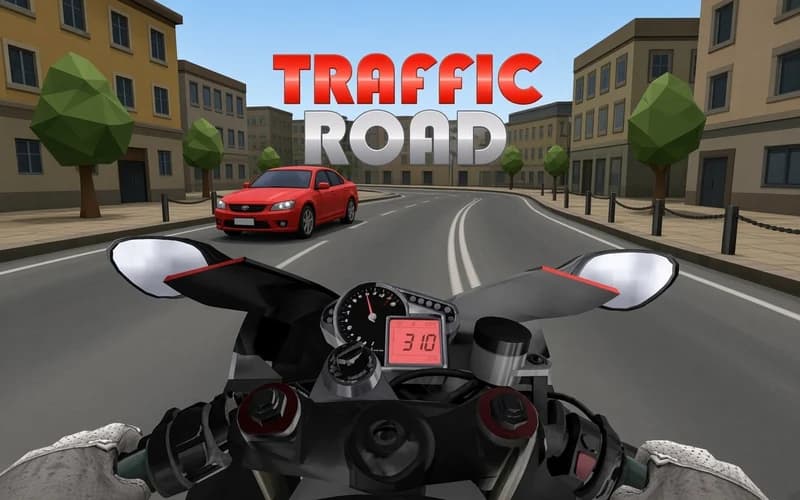
The highway never stops, and the traffic keeps getting thicker. Traffic Road is an endless driving game where you steer your car across a multi-lane road, switching lanes left and right to avoid crashing into other vehicles. Your car accelerates automatically — all you need to do is use your reflexes right.
About Traffic Road
The structure is intuitive: traffic moves at different speeds across different lanes. Switching lanes, slowing down when needed, or hitting nitro through an opening are your core maneuvers. Early on there's plenty of room and room for error; as you get further, more cars crowd the road and reaction time shrinks.
Nitro — triggered with Shift or Space — gives a burst of speed for a quick dash through a clear stretch. The same key combo also lets you brake. On mobile, swipe gestures map to the arrow/WASD keyboard controls on desktop.
Every run is a race against your previous record. The goal is simple, but mastering it takes a few tries.
Why kids love it
Short, intense runs fit a kid's attention span. The urge to beat your record keeps you coming back.
Is it safe?
Non-violent driving game. Suitable for all ages.
🎯 How to Play
- Your car accelerates automatically — use Left Arrow/Right Arrow or A/D to switch lanes.
- Spot traffic ahead early and change lanes in time — last-second moves are tough.
- Use Up Arrow/W to speed up; Down Arrow/S to slow down.
- Press Shift or Space for nitro — use it to dash through a clear stretch of road.
- On mobile, swipe left/right to change lanes, swipe up to accelerate, swipe down to brake.
⌨️ Controls
💻 PC
📱 Mobile
💡 Tips & Tricks
- Look ahead: Watching the traffic flow further up the road reduces the need for last-second lane changes.
- Nitro timing: Use nitro when you spot a clear lane — using it in heavy traffic causes you to lose control.
- Stay in the middle: Keeping to the center lane gives you both left and right options; staying on the edge limits your moves.
- Start calm: Finding your rhythm in the opening seconds beats racing ahead fast — better results over time.
⚡ Features
- Endless highway: A never-ending multi-lane traffic course.
- Auto acceleration: Your car moves on its own; you only focus on steering.
- Nitro system: Instant speed burst for quick dashes through open stretches.
- Desktop and mobile controls: Keyboard/arrow key and touch swipe support.
- Increasing difficulty: Heavier traffic and shorter reaction time as you progress.