📖 Dashmetry About
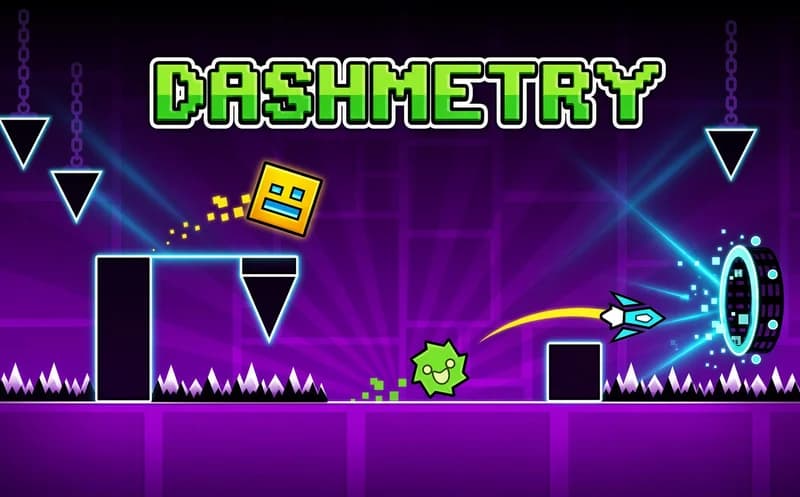
Every note is an obstacle, every jump is a decision. Dashmetry is a rhythm platformer where you jump a cube through obstacle courses synced to music. One mistake sends you back to the start; a clean run leaves you with a real sense of achievement.
About Dashmetry
Normal Mode starts you on pre-built levels, each built around a specific soundtrack — the obstacles line up with the rhythm. Playing with your ears rather than your eyes is the core skill here.
Practice Mode uses checkpoints you set yourself. Get stuck on a tough section? Mark it and replay just that part as many times as you need — no full restarts. This cuts the learning curve noticeably.
Dashmetry's standout feature is player-created content. You can design your own level, upload music, and play levels made by other players. The library keeps growing. Infinite Mode and Race Mode add even more variety beyond the main levels.
Why kids love it
The sync between music and movement gives a strong sense of speed. The satisfaction of finally clearing a level is instant.
Is it safe?
A violence-free music rhythm platformer. Suitable for all ages.
🎯 How to Play
- When a level loads, listen to the music and feel how the obstacles relate to the rhythm.
- Press Left click, ↑, or Space to jump — all three do the same thing, use whichever feels comfortable.
- One hit means restart; complete a clean run by finishing your jump before each obstacle.
- Use Practice Mode for tough sections — set your own checkpoint and replay only that part.
- Play community levels or design your own track in the Level Editor.
⌨️ Controls
💻 PC
📱 Mobile
💡 Tips & Tricks
- Listen to the rhythm: Obstacles sync to the music — trusting your ears beats watching the screen.
- Use Practice Mode first: Marking the spot where you're stuck and replaying only that section saves a lot of time.
- Jump timing: Jump slightly before the obstacle, not right in front of it — gives you a small timing buffer.
- Watch ahead: Focus a few steps ahead of the cube rather than on the cube itself — improves reaction time.
⚡ Features
- Rhythm platformer mechanics: Obstacles sync to the music — every note is a move.
- Practice Mode: Set your own checkpoints for partial replays.
- Level Editor: Design your own course, upload music, and share with the community.
- Infinite Mode and Race Mode: Extra game modes beyond the main levels.
- Community levels: Player-made content keeps the library growing.