Obby Car Keyboard Parkour
📖 Obby Car Keyboard Parkour About
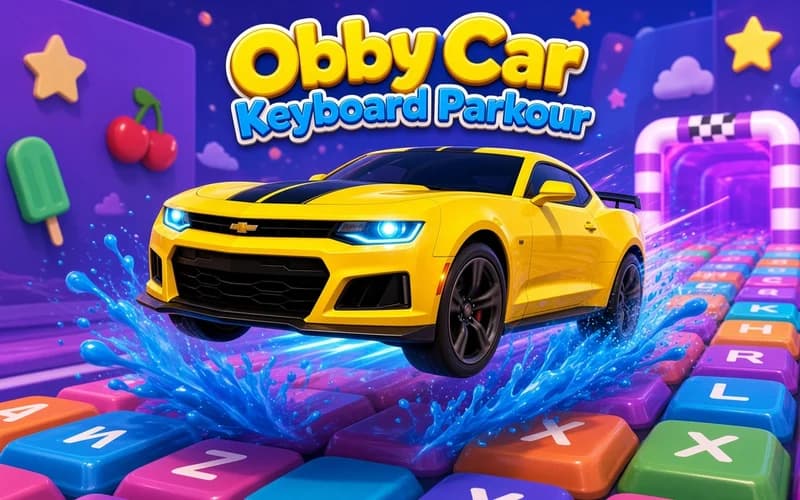
Giant keyboard keys floating high above the ground, with thin bridges and open gaps between them. Obby Car Keyboard Parkour hands you the wheel on this strange course and asks you to stay on your wheels all the way to the finish line. It loads instantly in the browser and needs no setup.
What kind of game is Obby Car Keyboard Parkour?
The whole track is a keyboard. You hop from key to key, cross narrow bridges and slip past moving hazards. The car is fast, so the real skill is not flooring it but easing off at the right moment and hitting the ramp dead centre. Let a wheel slide off the edge and you drop, restarting that course.
Every completed course opens a new area, and the layouts get tougher step by step. Coins picked up along the way buy faster vehicles, boosters and rare supercars. There is also a rebirth system: you reset your progress in exchange for permanent bonuses, which pushes the next attempt much further.
Why kids like it
The idea alone is fun, since you are driving a car on top of an enormous keyboard. Stages are short, so a fall means an instant retry and every run gets you a bit further. Unlocking a new car is a clear reward too.
Is it safe for kids?
Yes. There is no violence and nothing frightening; the worst outcome is the car dropping off a platform and the stage restarting. With bright visuals and four-key controls it suits ages 6 and up.
More driving games
If you like ramps, jumps and precise steering, add these three to your list.
- Extreme Mega Ramp Car Stunts — Launch off towering ramps and score points with mid-air flips.
- Max Speed — Flip a sports car over ramped circuits while passing your rivals.
- Car Parking — Squeeze through tight corners and park without a single scrape.
🎯 How to Play
- Drive the car: W A S D or the arrow keys handle throttle, brake and steering.
- Turn the camera: Hold the right mouse button and look around to spot the next key.
- Set up the jump: Line the car up as you approach a ramp, because a wheel over the edge drops you.
- Jump: Use Space to clear the gaps and land on the narrow bridges.
- Restart a stage: If you get stuck, press R and take the course again from the start.
- Collect coins: Grab the coins on the route to unlock new cars and boosters.
- Use rebirth: Reset your progress for permanent bonuses and reach further next time.
⌨️ Controls
💻 PC
📱 Mobile
💡 Tips & Tricks
- Hit ramps centred: A centred approach makes landings far cleaner.
- Ease off on narrow bridges: Slow down instead of holding full throttle so control stays yours.
- Save the booster: Fire it during long obstacle chains rather than short straight roads.
- Upgrade the car: Faster vehicles shorten hard sections and hold the road better.
- Look before you jump: Swinging the camera around to check the landing saves whole runs.
- Do not delay rebirth: Permanent bonuses make the following lap noticeably easier.
⚡ Features
- Giant keyboard course: Stages built from keys, thin bridges and open gaps.
- Expanding areas: Each finished course opens a fresh region.
- Car collection: Fast vehicles and rare supercars unlocked with coins.
- Boosters: Speed pickups that pay off during long obstacle chains.
- Rebirth system: Permanent bonuses that strengthen every later attempt.