Office Brawl - Room Smash
📖 Office Brawl - Room Smash About
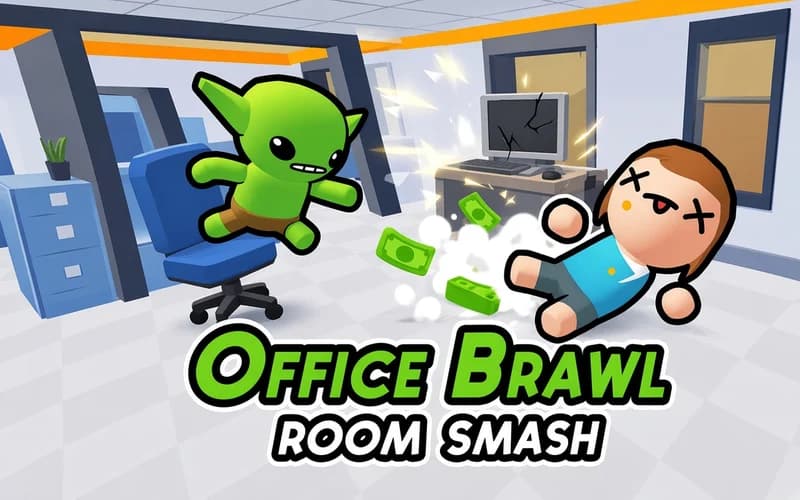
Grab the chair, find your angle and send it across the room. Office Brawl - Room Smash is a physics-driven arcade game where ordinary office items turn into throwing tools. It opens in the browser and asks for no install and no account.
What is Office Brawl - Room Smash?
As you walk around the room, some objects pick up a green glow. That marker means the item can be lifted and thrown. Step up to it, hold the mouse to aim, and release to let it go. A chair is light and travels fast, while a water cooler is heavy and slow but does far more once it lands. Choosing the right object beats throwing at random every time.
Each stage gives you targets to clear and finishes with a sturdier opponent. Knocking over the movable furniture around you pays extra cash at the end of a stage. Because of the physics engine, no two attempts play out the same: the same chair sometimes clips a desk and bounces away, sometimes lands exactly where you wanted.
Later rooms get busier, obstacles narrow your clear throwing lanes, and deciding when to spend the item in your hands starts to matter.
Why kids like it
Office furniture flying through the air makes for funny chaos, and you can never fully predict the outcome. Stages are short and retries are quick, so a throw that misses just leads straight into the next one.
Is it safe for kids?
Yes. The art is cartoon styled with nothing frightening or uncomfortable on screen; the only things falling over are furniture and office gear. Ages 7 and up can play comfortably.
More arcade games
If physics surprises and comic scenes are your thing, add these three to the list.
- Office Golf — Toss crumpled paper into the bin at the far end of the office.
- Kick a Lucky Block: Tsunami Football — Kick the lucky block hard and outrun the wave you started.
- Aliens.io — Scoop up people and buildings with your UFO and grow bigger.
🎯 How to Play
- Walk the room: Move your character with W A S D, the arrow keys or a mouse drag.
- Look for the green glow: Any object outlined in green can be lifted, and stepping into it picks it up.
- Take aim: Hold the mouse button; the direction and throwing power appear on screen.
- Release to throw: The object launches the moment you let go and the physics take over from there.
- Clear the targets: Once every target in the room is down, you move on to the next one.
- Knock over the extras: Toppling movable furniture adds bonus cash at the end of a stage.
- Prepare for the finish: The last opponent takes more to topple, so save the heavy items for it.
⌨️ Controls
💻 PC
📱 Mobile
💡 Tips & Tricks
- Save the heavy stuff: Bulky items like a water cooler pay off far more against the sturdy end-of-stage target.
- Plan the bounce: An object thrown at an angle comes back off the wall, which you can turn into an advantage in tight rooms.
- Open the lane first: If a desk or cabinet blocks the path, topple it before you commit a good throw.
- Do not throw point blank: Standing too close narrows your angle, so a step or two back improves accuracy.
- Do not waste glowing items: Each room holds a limited number of liftable objects, so avoid flinging them all at random.
- Let the physics surprise you: The same throw never ends the same way, so retry a failed attempt right away.
⚡ Features
- Office objects: Chairs, desktop computers, plant vases and water coolers all become throwable.
- Green glow marker: Every liftable object is highlighted by the light around it.
- Physics-driven outcomes: Bounces, topples and chain falls change every attempt.
- End-of-stage opponent: A sturdier target closes out each stage as its final test.
- Bonus earnings: Knocking over the movable furniture pays extra cash when a stage ends.