OpenFront.io – Online Strategy Game
📖 OpenFront.io – Online Strategy Game About
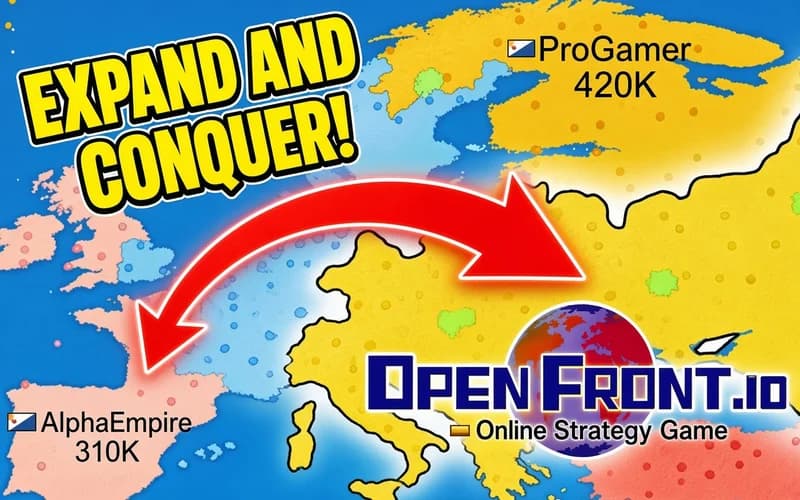
You begin with a tiny region on the map and one goal: push your borders outward. OpenFront.io brings real-time strategy rules into the browser as an .io game. Nothing to install, and the lobby list appears the moment the page opens.
What is OpenFront.io?
You pick the world map or a regional one such as Europe, Asia or Iceland. From there you grow towards the land next door. Every expansion lifts your population, a bigger population means more resources, and resources pay for new buildings and larger troops. Balance is the real question: you decide how many troops push forward and how many hold the border. That is why nudging the attack ratio with the 1 and 2 keys becomes your most frequent move.
Other players are growing on the same map. Who your neighbour is changes the plan: with some you form an alliance and cover your back, with others you close off the route they wanted. Single player mode lets you rehearse against bots, and you can move to a multiplayer lobby whenever you feel ready.
Why kids like it
Watching a coloured area spread across the map is very satisfying. The rules settle in a couple of minutes, yet playing well takes planning, which gives the game a chess-like pull. Rounds stay short enough that you never get restless before one ends.
Is it safe for kids?
Yes. Everything on screen is coloured territory moving over a map, with no frightening or unpleasant scenes. Ages 8 and up will be comfortable; younger players can start in single player mode.
More .io games
If you enjoy sharing a map with other people, add these three to your list.
🎯 How to Play
- Choose a map: Start with the world map or a regional one such as Europe, Asia or Iceland.
- Pick your mode: Warm up against bots in single player, or share a map with real people in a multiplayer lobby.
- Move on the land next door: Click a bordering region to send troops; the bigger your area, the bigger your population.
- Set the attack ratio: Use 1 and 2 to lower or raise the share of troops pushing forward.
- Steer the camera: Move with W A S D, zoom with Q and E, and press C to snap back to your own land.
- Build something: Hold Ctrl and click to open the build menu, then spend resources on a port, a city or defence.
- Switch the view: Space flips between the terrain view and the country view.
⌨️ Controls
💻 PC
📱 Mobile
💡 Tips & Tricks
- Take the coast first: Seaside regions are easier to defend and you need them for a port.
- Keep the ratio low: A permanently high attack ratio empties your border, and winning it back is slow.
- Grow through a narrow gap: Advancing along a tight corridor protects your troops better than a wide front.
- Know your neighbour: Do not get boxed in next to a fast grower, spread towards the quieter side first.
- Form alliances early: Agreeing before you are cornered works far better than asking for help afterwards.
⚡ Features
- Real maps: A long list including the world, Europe, Asia and Iceland.
- Resource management: Population, gold and troop balance shape every move.
- Multiplayer lobbies: Free-for-all rounds on one map with real players.
- Single player practice: A no-pressure training mode against bots.
- Adjustable view: Instant switching between terrain and country display.