Tap Road 2
📖 Tap Road 2 About
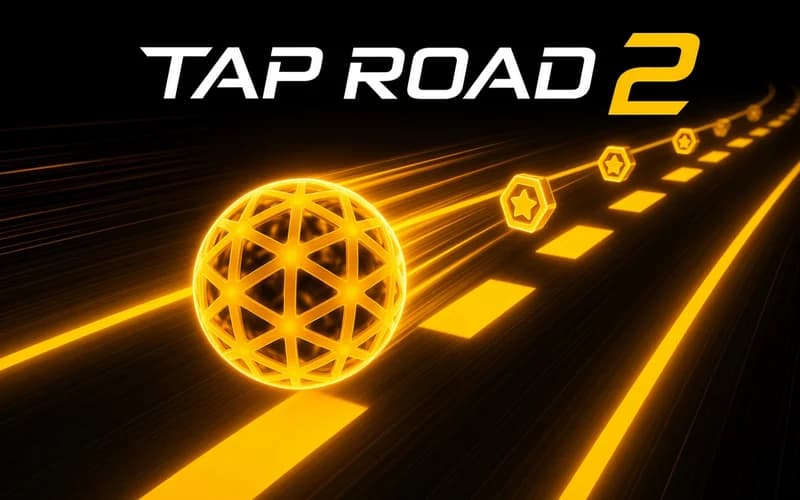
Tap Road 2 is a direct sequel to the first game and starts at a much faster pace. The sphere rolls forward on its own, and your job is to tap at the right moment to switch lanes. It opens in your browser with no install.
What sets Tap Road 2 apart
The clearest change is 4 new obstacle types. Even if you memorised the layouts of the original, these additions break that memory, and coasting on the same reflex turns into a mistake quickly. The pace also starts high, so the warm-up section is barely there.
The control is still a single tap. Click the mouse or touch the screen and the sphere moves to the opposite lane. Learning it takes seconds, but mastering it becomes real focus work as the track speeds up.
What the Challenge mode adds
The Challenge mode is new to the series and puts goal-based tasks next to the classic endless run. Going far is no longer enough; you have to meet specific conditions. That gives every session a second purpose beyond record hunting, so the game is not tied to one number.
Why kids enjoy it
Runs are short and restarting is instant. Seeing exactly where you slipped makes the next attempt start right away. One-finger play also keeps it comfortable for younger players.
Is it safe?
The content stays calm: a colourful track, a sphere and obstacles. Nothing scary or harsh appears. Fine for ages 7 and up.
More Skill Games
If timing and reflex tests are your thing, these three run on the same fuel.
- Stickman Jump — Time single and double jumps to clear rows of spiked obstacles.
- Falling Beans: Ultimate Knockout — Race bean characters through obstacle courses and fight for a top-three finish.
- Do Not Fall Online — Stay standing longer than your rivals as the platform under you disappears.
🎯 How to Play
- When the game opens, the sphere starts rolling along the track by itself.
- Click the mouse or tap the screen; the sphere switches to the opposite lane.
- Avoid every obstacle, since a single touch ends the run.
- Learn the 4 new obstacle types; each has its own rhythm and timing.
- Open the Challenge mode and complete the task conditions.
- Track your distance and try to beat your record on the next run.
⌨️ Controls
💻 PC
📱 Mobile
💡 Tips & Tricks
- Look ahead: focus one or two steps beyond the obstacle right in front of you.
- Switch early: last-second lane changes end most runs sooner than they should.
- Study the new obstacles: aim for observation, not score, on your first tries.
- Warm up in Challenge: task conditions make you repeat specific moves.
- Expect speed jumps: the track suddenly accelerates at set intervals.
⚡ Features
- Direct sequel: the original mechanic stays, the difficulty climbs.
- 4 new obstacle types: fresh layouts that break old habits.
- Challenge mode: goal-based tasks alongside the endless run.
- One-tap control: click or touch the screen, and that is the whole input.
- Record tracking: every run is a shot at your own best distance.