Eaglercraft
📖 Eaglercraft About
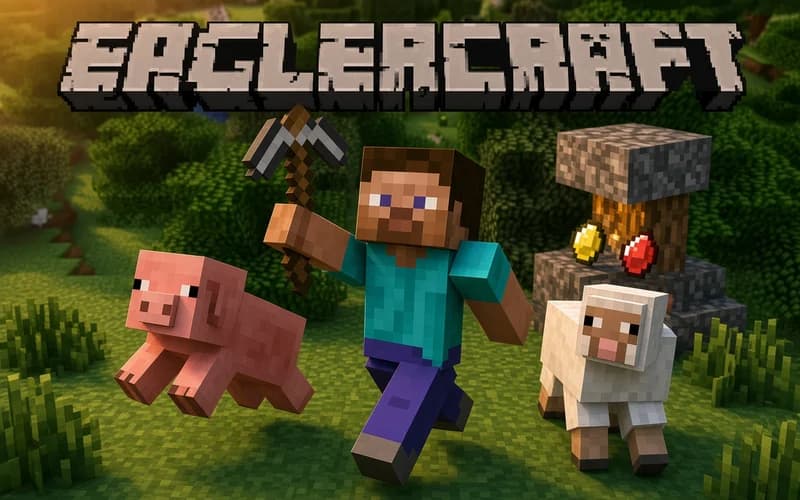
Eaglercraft is a world of blocks that opens in your browser. You swing a pickaxe for materials, turn those materials into tools, and raise whatever you have in mind one block at a time. Nothing to download and no account to open; the world starts generating as soon as the page loads.
What kind of game is Eaglercraft?
The world is generated fresh every time. You might start in a forest, at the foot of a mountain or among sand dunes. The first job is usually the same: wood from trees, a workbench from wood, a pickaxe from the bench. Stone, coal and, deeper down, diamond follow.
There are two modes. Survival tracks your health and hunger, and creatures come out once the light fades, so a closed shelter has to be ready before dark. Creative gives you endless materials and lets you fly; imagination is the only limit there.
Building and exploring
Underground tunnels, caves and flooded passages are the most interesting corners of the map. You mine below while towers, bridges and houses go up on the surface. Because your world is stored in the browser, you can pick it up again the next day.
Why kids like it
There is no win condition, so nothing has to be rushed. One child wants to build a house, another wants to find a cave, and both work in the same world. That creative side keeps it fresh for a long time.
Is it safe?
The graphics are pixelated and chunky, and no realistic scene appears. The creatures that wander at night look odd more than frightening, and a player who dislikes the dark can switch to Creative and never meet them. Suitable for ages 7 and up.
More Adventure Games
If exploring suits you, these two also drop you inside a world of their own.
- Super Mano — A classic 2D platform adventure of clearing stages and digging out hidden gold.
- Stickman Ghost Online — An action adventure where a stickman warrior clears levels and learns combo moves.
🎯 How to Play
- Pick a mode: Survival is a real survival run, Creative means free building with unlimited materials.
- Move: Walk with W A S D, jump with Space, crouch with Shift.
- Look around: Moving the mouse turns the camera.
- Mine and place: Left click breaks a block, right click places the one in hand or interacts with an object.
- Open the inventory: E opens your bag, and the bench is where new tools are made.
- Prepare for night: Put up four walls and a door before sunset, and remember a light source inside.
⌨️ Controls
💻 PC
📱 Mobile
💡 Tips & Tricks
- Gather wood first: A few trees broken by hand cover the bench and your first pickaxe.
- Never dig straight up: The block above can drop on you, so cut sideways like a staircase.
- Carry torches: Light in a dark tunnel shows the way and stops creatures from appearing.
- Build a bed early: Sleeping skips the night and moves your spawn point to the shelter.
- Plan in Creative: Try a big structure with unlimited materials first, then build it for real on the Survival side.
⚡ Features
- Two game modes: Survival with resource gathering and Creative with unlimited materials.
- Random worlds: Every new world arrives with different terrain, caves and biomes.
- Crafting chain: A tool ladder that runs from wood to stone to iron.
- Saved in the browser: Your world stays on your device and continues where you left it.
- No installation: The game runs the moment the page opens.