Geometric Dash Lite
📖 Geometric Dash Lite About
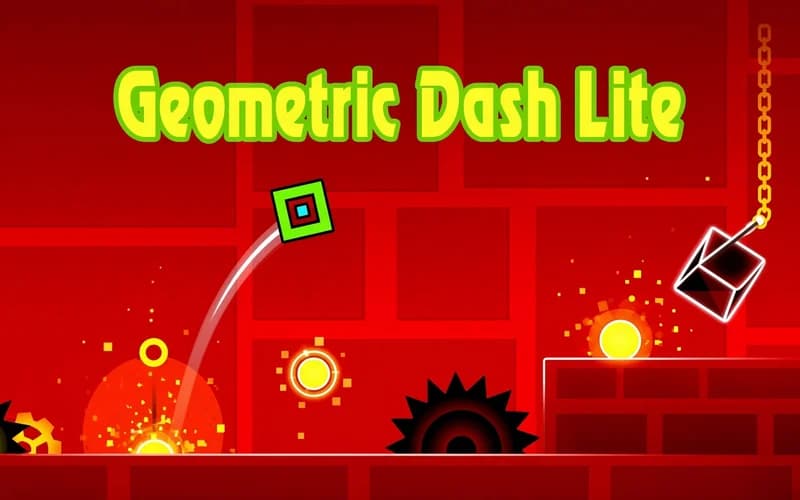
One key, and almost no margin for error. Geometric Dash Lite is a rhythm platformer where you carry a small square through a level in time with the music, setting each jump against the beat. It opens in your browser with no setup required.
How Geometric Dash Lite works
The character runs on its own, and your only job is choosing the moment to jump. Spikes, walls and traps sit in line with the track, so before long you follow the song rather than the screen. Portals along the way switch the square into another form and the handling changes instantly, which means the rhythm you memorised has to be rebuilt after each one. Normal mode has no checkpoints: touch a spike and the level restarts. Practice mode lets you drop your own checkpoints wherever you like, and it is the quickest way to drill one hard passage. Levels are short, but finishing one usually takes dozens of attempts.
Why kids enjoy it
There are barely any rules, yet progress feels unmistakable. A level you could not clear yesterday flows straight through once the rhythm clicks. Following the music is a pleasure on its own.
Is it safe?
Yes. There is no violence or frightening imagery, only geometric shapes and bright backdrops. The difficulty is high, so it asks for patience, but the content suits every age.
More Skill Games
If games built on timing appeal to you, these three sit close to the same feeling.
- Super Mano: a classic 2D platformer about clearing stages and collecting gold.
- Jump Dunk 3D: a reflex puzzle about releasing the ball at exactly the right instant.
- Moto X3M Pool Party: quick obstacle stages that drill your timing on a bike.
🎯 How to Play
- Jump: Press Space or tap the screen and the square lifts off.
- Hold it down: Keeping the key held chains jumps together, which helps across rows of spikes.
- Listen to the beat: Obstacles line up with the music, so matching the beat settles your timing.
- Watch for portals: Passing through one changes your form and the handling with it.
- Open practice mode: Drop your own checkpoint before a hard passage and drill just that part.
- Finish in normal mode: Clear the level end to end without a single touch to complete it.
⌨️ Controls
💻 PC
📱 Mobile
💡 Tips & Tricks
- Turn the sound on: The music is not just atmosphere, the real timing cue sits in the beat.
- Tap briefly: Holding too long throws you higher than needed, and most gaps clear with a light tap.
- Isolate the hard part: Instead of restarting the level, repeat one passage in practice mode.
- Look ahead: Keep your eyes slightly right of the square rather than on it, so obstacles register early.
- Take a break: A run of failed attempts breaks your rhythm, and a short pause usually fixes it.
⚡ Features
- Beat-aligned levels: Obstacle placement is built around the track.
- Portal transformations: Each new form comes with a different control feel.
- Practice mode: Set your own checkpoints and rehearse difficult passages separately.
- One-key control: Seconds to learn, far longer to master.
- Colourful visual design: Clean geometric shapes over vivid backgrounds.