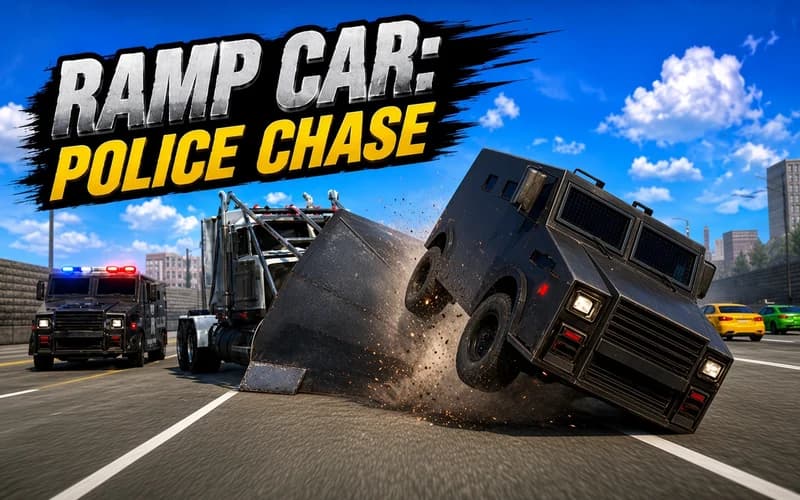
Ramp Car: Police Chase
📖 Ramp Car: Police Chase About
The lane ahead is open for a second, then it is gone. Ramp Car: Police Chase is a fast escape drive that measures how long you survive on a crowded motorway in a wedge-nosed car. It opens in your browser with no setup.
What Ramp Car: Police Chase is about
The front of your car is angled like a ramp. That lets you shove lighter vehicles aside and open a narrow gap for yourself. The motorway never clears though: civilian cars fill the lanes, and heavy vans and barricades block most of the road. Stopping is not an option, you have to keep moving.
Every impact goes one of two ways: it either opens a path or leaves you stuck in the middle of traffic. That makes lane choice the real decision here. The on-screen timer tracks how long you have lasted, while C flips to the rear camera so you can see who is behind you. As speed rises your reaction window shrinks and the physics engine turns each run into a different mess.
Why kids enjoy it
Four keys cover the controls and a first attempt can end in half a minute. Because the timer sits on screen the whole time, the urge to beat your record shows up immediately. Cars flying into the air also look like a cartoon.
Is it safe?
Only vehicles appear on screen, with no pedestrians and nothing frightening. The crashes are exaggerated and comic rather than realistic. Suitable from around eight years old.
More driving games
If weaving through traffic at speed appeals to you, these games keep a similar pace:
- Highway Racer 3D — Slice through busy motorway traffic at high speed across four game modes.
- Mad Truck Challenge Special — Take huge trucks into rocket-powered offroad races in 2D.
- Max Speed — Flip off ramps and overtake rivals in a quick 3D race.
🎯 How to Play
- Accelerate: W or the up arrow speeds the car up.
- Change lane: Move into a free lane with A and D or the left and right arrows.
- Brake or reverse: S or the down arrow slows you down and backs you out when you get stuck.
- Look behind: C switches to the rear camera and shows the cars chasing you.
- Use the nose: The wedge-shaped front pushes lighter vehicles out of your way.
- Watch the timer: The clock on screen shows how long you lasted, and beating it is the whole point.
⌨️ Controls
💻 PC
📱 Mobile
💡 Tips & Tricks
- Stay in the middle: A central lane gives you an escape in both directions, the outer lanes trap you easily.
- Avoid heavy vehicles: Hitting a van stops you dead, so aim for the lighter cars instead.
- Switch lanes early: Spot the gap a few cars ahead rather than at the last second.
- Use the rear view sparingly: Looking back helps, but it can cost you the traffic in front.
- Manage your speed: Easing off slightly when a wall of barricades appears makes finding a gap far easier.
⚡ Features
- Wedge-nosed car: A front end built to push lighter traffic aside.
- Multi-lane motorway: A wide road that keeps filling up and closing down.
- Physics-based impacts: Real-time reactions that send vehicles spinning and flying.
- Endurance timer: An on-screen clock that pushes you toward a new record.
- Rear camera: One key to check who is right behind you.
- Endless format: Runs with no level end, always open to another try.