Stick Run
📖 Stick Run About
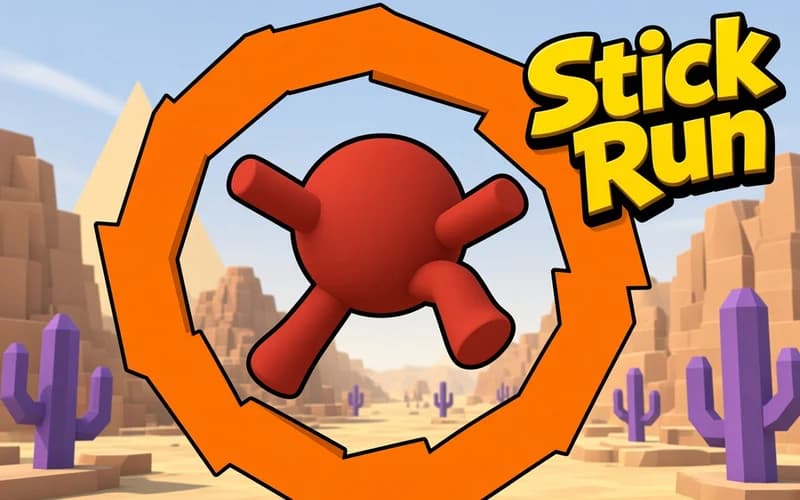
Stick Run takes a simple idea as far as it goes: run and jump. Your character moves through dim tunnels while gaps and obstacles are cleared with a single button. It runs safely in your browser with nothing to install.
How is Stick Run played?
The character runs on its own, so your job is jumping at the right moment. A short press gives a small hop while a long press produces a higher leap. Because the tunnel layout keeps changing, holding one rhythm is not enough and you have to keep adjusting.
Two approaches are open to you. In the exploring mode you work through the tunnels and open new regions, while endless mode has one goal only: distance.
How do new characters unlock?
Pieces you gather while running add up, and once you reach enough of them new stickman looks unlock. They do not change your speed, but building the set gives your runs a purpose.
Why kids like it
One button means play starts immediately, and after a fall you are running again within a second. Chasing your own distance record works even in a short break.
Is it safe?
A completely harmless runner drawn in plain lines. There is no violence or frightening scene, and the character simply restarts. Suitable for ages 6 and up.
More Adventure Games
If stickman characters and brisk stages suit you, take a look at these two.
- Stickman Ghost Online — An action adventure where a stickman hero works through stage after stage.
- Super Mano — A classic two-dimensional platform game about clearing stages and collecting gold.
🎯 How to Play
- Choose the mode: Pick exploring or endless running on the opening screen.
- Jump: Press Space or tap the screen to clear a gap.
- Set the press: Holding the key longer produces a higher hop.
- Collect pieces: Grabbing items along the route brings new characters closer.
- Watch the rhythm: Readjust your jump spacing whenever the tunnel layout shifts.
- Beat your record: In endless mode the only target is passing your previous distance.
⌨️ Controls
💻 PC
📱 Mobile
💡 Tips & Tricks
- Jump early: Leaping right at the edge of a gap causes most falls.
- Save the long press: A high jump keeps you airborne longer, which is risky in tight passages.
- Look ahead: Focus on the right side of the screen instead of your character feet.
- Do not force pickups: Breaking your line for an out-of-the-way piece usually costs the run.
- Keep sessions short: Rhythm slips when you tire, so a break often improves the record.
⚡ Features
- Two modes: Explore the tunnels or chase distance in endless running.
- One-button control: Beyond jumping there is no key to learn.
- Unlockable characters: Collected pieces bring new stickman looks.
- Shifting tunnels: Gaps and obstacles change as you reach new regions.
- Instant restart: A fall reloads the run straight away.