Subway Dash
📖 Subway Dash About
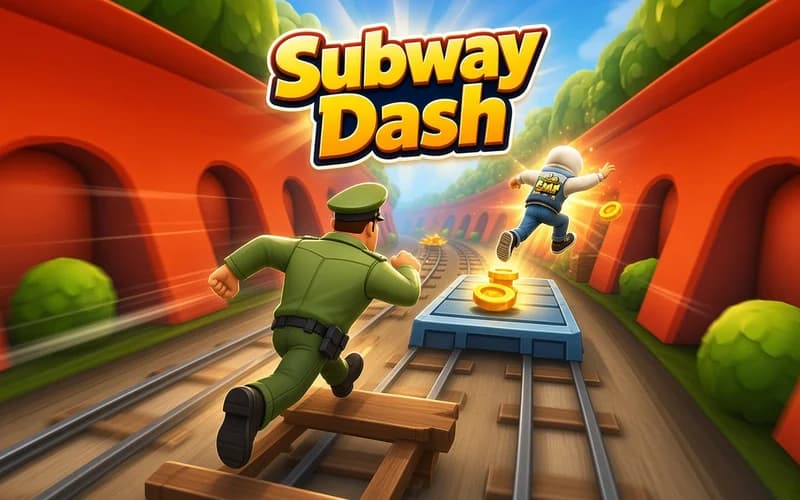
Subway Dash takes the classic endless-runner">endless runner formula onto subway tracks. Your character runs by itself, so your job is picking a lane and clearing the trains at the right moment. It runs safely in your browser with nothing to install.
How is Subway Dash played?
There are three lanes and you move between them freely. You jump the raised obstacles and slide under the low barriers. Coins and power-ups gathered along the way keep your run going.
The further you travel, the faster the game gets. The pace you started at leaves far less reaction time a minute in, which makes reading the track ahead essential.
What do the power-ups do?
Items appearing on the route hand out short-lived advantages. Some pull coins toward you like a magnet, others lift you into the air and skip a whole section. Using them at the right moment raises your record considerably.
Why kids like it
Controls come down to four directions, so the first run is enough to understand it. Colourful city backdrops and short attempts mean a few tries fit inside a break.
Is it safe?
A cheerful and colourful runner. There is no violence or frightening scene, and a collision simply restarts the character. Suitable for ages 6 and up.
More Arcade Games
If quick reflexes and record chasing appeal to you, take a look at these two.
- Super Mano — A classic two-dimensional platform game about clearing stages and collecting gold.
- Kick a Lucky Block: Tsunami Football — Boot a lucky block as hard as you can, switch characters and outrun the wave.
🎯 How to Play
- Start the run: The character begins moving on its own once the page loads.
- Change lanes: Move left and right with ← and →.
- Jump: ↑ lifts you over obstacles and trains.
- Slide: ↓ takes you under the low barriers.
- Collect coins: Coins and power-ups on the route push your score up.
- Beat your record: A collision ends the run, so aim further on the next attempt.
⌨️ Controls
💻 PC
📱 Mobile
💡 Tips & Tricks
- Use the middle lane: Running centrally leaves an escape route on both sides.
- Look ahead: Focus on the top of the screen rather than your character back.
- Do not gamble for coins: Cutting in front of a train for one stray coin ends the run.
- Jump early: Leaping right at the foot of an obstacle causes most collisions.
- Save the power-up: Picking one up just before a busy stretch pays off more.
⚡ Features
- Endless running: No finish line, only the distance you can stretch.
- Three-lane tracks: Lane changes, jumps and slides all sit in one layout.
- Power-ups: Short-lived advantages extend a run noticeably.
- Rising speed: Your reaction window shrinks as the distance grows.
- Colourful city scenes: Backdrops change over the course of a run.