📖 Tennis Masters 2026 About
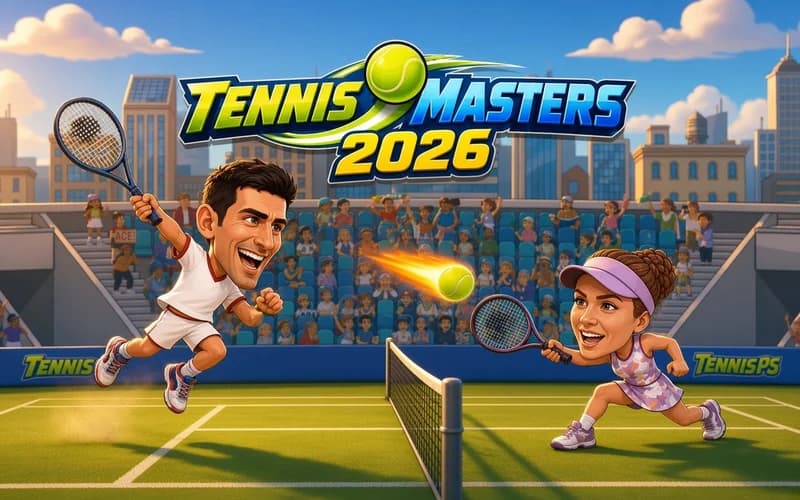
Tennis Masters 2026 brings tennis up to arcade pace while keeping real scoring. Points climb through 15, 30 and 40, and the match goes to whoever takes two sets out of three. It runs safely in your browser with nothing to install.
How is Tennis Masters 2026 played?
Every point opens with a serve, and a small power meter sets how hard it lands. Releasing inside the green band pushes your opponent back. Through a rally you pick between topspin, slice, lobs and smashes to open a gap on court.
The surface changes the game. On hard courts the ball arrives quickly, on clay it slows and slice becomes effective, and on grass the bounces stay low.
What does fatigue do?
Long rallies cut your character movement and recovery speed. That means chasing every ball is a mistake and some points are better cut short. The computer opponent also spots repeated tactics and works out a counter.
Why kids like it
Movement and shots sit on separate keys, which makes it easy to learn. The two-player mode lets siblings or friends face off on one keyboard.
Is it safe?
A colourful and calm sports game. No violence or frightening scenes appear and the court atmosphere stays cheerful. Suitable for ages 7 and up.
More Sports Games
If racket games and head-to-head matches suit you, take a look at these two.
- Tennis Master — Playful tennis matches with power-ups and funny transformations.
- Pong Biz — A plain, fast reflex game about sliding your paddle and returning the ball.
🎯 How to Play
- Choose the mode: A solo tournament or a two-player match on one keyboard.
- Pick the court: Hard, clay and grass each behave differently on the bounce.
- Move: Player one uses W A S D and player two the arrow keys.
- Hit: X plays a normal shot, with L for the second player.
- Smash: Use Z or K to drive a high ball down hard.
- Close the set: Whoever takes two sets out of three wins the match.
⌨️ Controls
💻 PC
📱 Mobile
💡 Tips & Tricks
- Release the serve in green: Letting go inside the green band gives a much stronger opening.
- Mix deep and short: Hitting to the same depth lets your rival settle into a rhythm.
- Target the space: When the opponent is dragged into a corner, send the ball the other way.
- Try slice on clay: A low bounce on a slow surface is awkward to answer.
- Return to centre: Recovering toward the middle after each shot makes the next ball easier.
⚡ Features
- Three surfaces: Hard, clay and grass each carry their own bounce and friction.
- Real tennis scoring: Points climb through 15, 30 and 40 in order.
- Two-player mode: Face an opponent on the same keyboard.
- Fatigue system: Long rallies reduce movement and recovery speed.
- Adaptive opponent: The computer counters tactics you repeat too often.