Sprunki Jump
📖 Sprunki Jump About
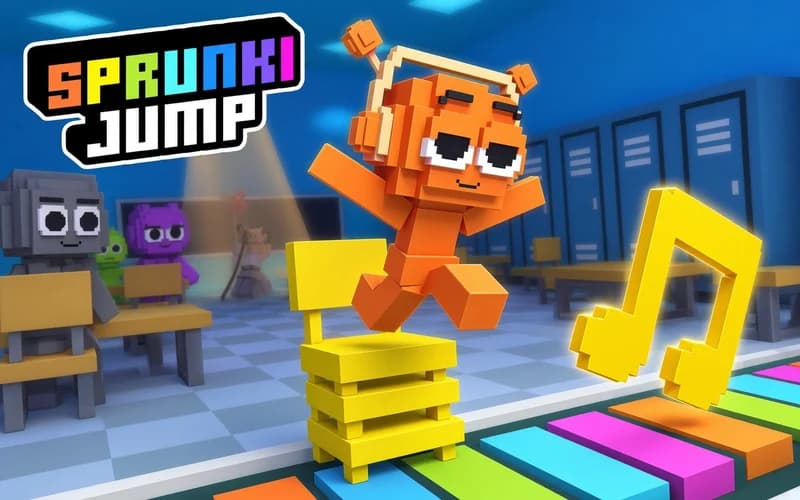
A street artist and a music school that keeps rearranging itself. Sprunki Jump is an endless arcade game in which you move a character called Orange past desks, lockers and giant notes. Play safely in your browser, nothing to download.
What Sprunki Jump is like
The rule is simple: stop and you lose. The floor behind you slowly disappears, so you have to keep a steady pace forward. The space ahead, meanwhile, is laid out fresh every run. One time the desks pile up on the right, the next the lockers stack on top of each other.
Coins dropped along the way can be collected to unlock special abilities. Add-ons such as an upgraded headset let you last much longer in the same school. Since you can play with a mouse drag or the arrow keys, the controls click in the first second.
For score chasing, rhythm is what really counts. Moving without hesitating usually covers more ground than fast reflexes do.
Why kids like it
Runs are short and a new one starts right after you lose. The school comes out different every attempt, so nothing gets memorised and you keep finding a new route.
Is it safe?
Bright cartoon visuals with no fighting or frightening scenes. Everything rests on timing and attention, which suits players aged 6 and up.
More Adventure Games
Once the school corridors run out, these three carry a similar sense of exploration.
- Super Mano — Collect gold and get past enemies across classic 2D platform stages.
- Fireboy and Watergirl 6 — Guide two characters together, gather the gems and find the exit.
- Stickman Ghost Online — Chain combo moves with a stickman warrior and clear the stages.
🎯 How to Play
- Start the game; Orange appears in the first corridor and the floor begins dissolving behind him.
- Drag with the mouse or use the Arrow Keys to move forward, left and right.
- Find gaps between obstacles such as desks, chairs and lockers and slip through.
- Climb onto the giant note blocks; some of them form the only way across.
- Pick up the coins along the route and spend what you save on special abilities.
- Never let the vanishing floor catch you; do not stand still for more than two seconds.
⌨️ Controls
💻 PC
📱 Mobile
💡 Tips & Tricks
- Keep a steady pace: Moving evenly instead of sprinting and stopping keeps a gap between you and the vanishing floor.
- Pick your gap early: Decide which side you are taking before you reach a cluster of obstacles.
- Skip risky coins: Two seconds spent chasing a coin off to the side usually ends the run.
- Unlock an ability early: The first upgrade you buy makes every later run easier.
- Do not memorise: The school is rebuilt each time, so keeping your eyes ahead beats learning a layout.
⚡ Features
- Vanishing floor: Platforms dissolving behind you force constant forward movement.
- A new layout every run: Desks, lockers and notes appear in different arrangements.
- Coins and abilities: Upgrades unlocked with what you collect on the way.
- Two control options: Mouse drag or arrow keys.
- Music school setting: Colourful stages full of oversized notes and instruments.