Baby Fashion Salon
📖 Baby Fashion Salon About
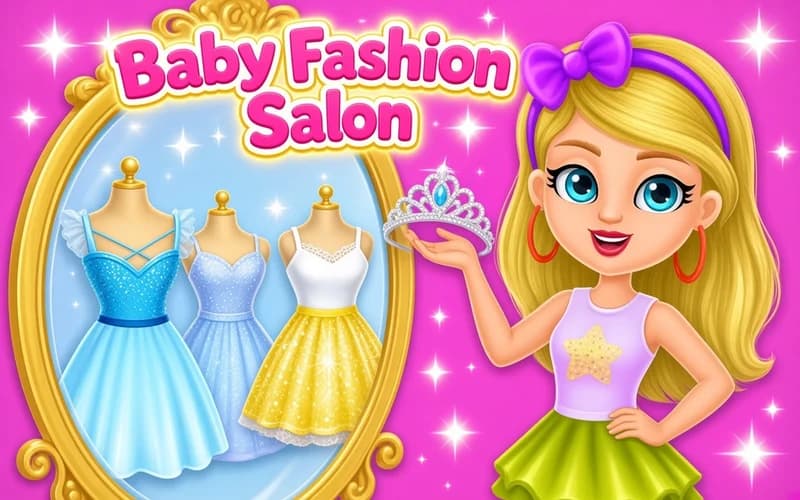
Baby Fashion Salon is a colorful dress-up game where you work like a costume designer behind a tiny runway. Mix and match seasonal pieces, hairstyles, shoes, and accessories to create your own signature look. Simple tap-and-pick controls mean players of any age can jump right in.
Every level brings a new theme: party, beach, school day, birthday. Each theme swaps out the palette, fabrics, and accessory options, keeping the collection feeling fresh. Runs straight in the browser — no download or account needed.
About Baby Fashion Salon
The game is built on a classic dress, like, save loop. The outfit catalog is split into categories — tops, bottoms, shoes, jewellery, glasses. Tap any piece and it appears on the model instantly. Save a combo you love to the photo gallery, and that gallery becomes your wardrobe in the next session.
Why kids love it
Pastel colors, sweet art, zero pressure. There's no wrong outfit — every choice is accepted. When clothes match the model smiles, and that little bit of positive feedback encourages kids to keep experimenting with their own style.
Is it safe?
Yes. Completely safe, fully kid-friendly content. No violence, scary scenes, or grown-up clothing. Suitable for ages 6 and up.
🎯 How to Play
- Open the page and start when the game loads.
- Browse the outfit categories in the side or bottom menu: tops, bottoms, shoes, hair, accessories.
- Tap or click any piece — it appears on the model right away.
- Swap out anything you don't love and try matching colors.
- Happy with your combo? Take a photo and save it to your gallery.
- When a new theme unlocks, explore a whole new style direction.
⌨️ Controls
💻 PC
📱 Mobile
💡 Tips & Tricks
- Pick your color palette first, then choose pieces — color harmony matters more than the type of garment.
- Leave hair and accessories for last — once the outfit is set it's easier to see what will work on top.
- Don't skip themed days; each one unlocks a separate collection.
- Save favorites to the gallery so you can start fast in future sessions.
- On mobile, landscape mode makes tiny accessories much easier to tap.