📖 Sorry Bob About
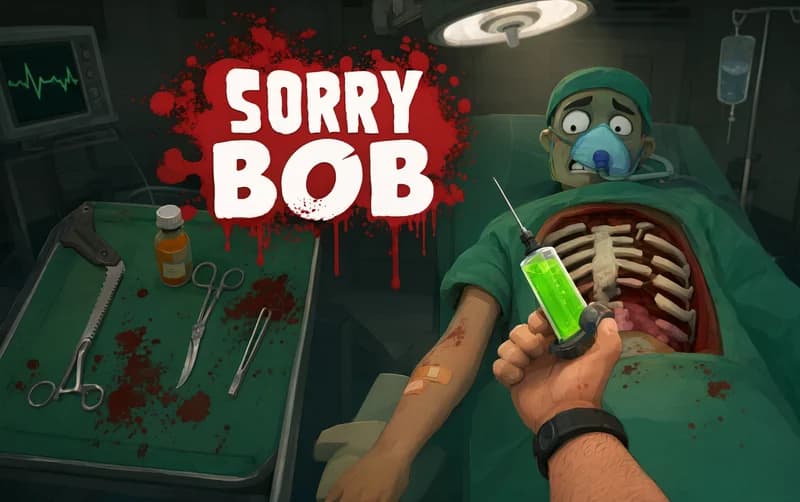
A surgeon's hand should not be this hard to control. Sorry Bob is a funny skill simulation game where you complete surgical operations by managing a surgeon's hand with deliberately clunky, precise controls. Each finger has its own key — and just picking up a scalpel is way harder than you'd expect.
About Sorry Bob
The game centers on controlling the surgeon's hand, but the control system is intentionally designed to fight you. Each finger is mapped to a separate key — pressing them together grips a tool, while the wrong combination drops it or deals unintended damage. On top of that: mouse movement to move the hand, left-click to lower it, and right-click to rotate the wrist.
Surgical tools are scattered on the operating table: scalpel, saw, hammer, syringe, and more. Each operation has a clear goal — complete it before time runs out or the patient's health drains. Every mistake lowers the patient's blood level; using the syringe compensates for blood loss.
Learning the controls and getting used to the hand mechanics takes some time up front. With practice the operations flow more smoothly, and the game's comedy potential becomes more and more obvious.
Why kids love it
The clunky controls create unexpected and genuinely funny moments. The weird tool combinations make each operation different.
Is it safe?
A fantasy surgery simulation game. Suitable for all ages.
🎯 How to Play
- Use Space / A / W / E / R to control individual fingers — pressing multiple together grips a tool.
- Left Mouse click to lower the hand; Right Mouse click to rotate the wrist.
- Move the mouse to position the hand on screen.
- Grab a tool from the operating table, lift it, and carry it to the operation target — each tool has a different use.
- Watch the patient's blood level and avoid unnecessary damage — use the syringe to compensate for blood loss.
⌨️ Controls
💻 PC
📱 Mobile
💡 Tips & Tricks
- Learn the controls slowly: Practice the finger key combinations at a relaxed pace first — rushing causes drops.
- Read the operation goal: Every surgery has a specific task — look at the goal before starting, then pick the right tool.
- Use the syringe: When the blood level starts dropping, topping it up with the syringe is critical — don't leave it too late.
- Move slowly: Fast hand movements increase the risk of dealing uncontrolled damage — surgery takes patience.
⚡ Features
- Individual finger controls: Each finger mapped to its own key — grip and release combos are deliberately challenging.
- Clunky hand control system: Mouse movement, wrist rotation, and hand lowering mechanics.
- Surgery missions: Clear-goal operations to complete before time or patient health runs out.
- Patient health system: Blood level tracking with syringe recovery mechanic.
- Accidental comedy: Unintentional funny moments created by the clunky controls.