📖 Store Simulation: My Business About
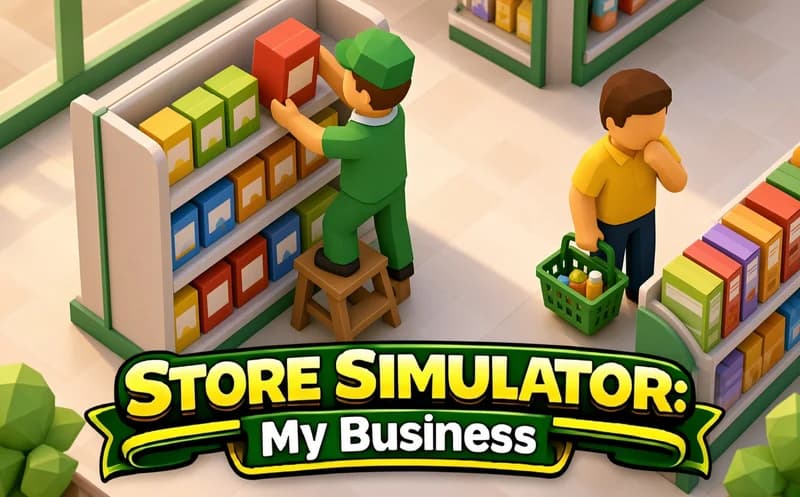
Store Simulation: My Business is a comprehensive management game where you grow a small retail shop step by step into a major commercial empire. Everything from shelf layout to checkout, wholesale buying, and department expansion is in your hands.
How does Store Simulation work?
You start with an empty store. Place shelves, buy stock from the wholesale market, fill the shelves. Customers come in, add products to their baskets, and you collect payment at the checkout. At the end of the day, review earnings, then buy new sections and more floor space.
Progress is driven by automation. Once you have enough money, you hire staff to handle repetitive tasks. Pricing directly affects customer flow — price too high and they won't buy; too low and margins shrink.
What are the long-term goals?
Each new department brings different product categories and customer types. When a big supermarket isn't enough, entirely new lines of business open up. Every expansion adds a new layer of management and keeps the game fresh.
Safe to play?
Completely appropriate content. Suitable for ages 7 and up.
More idle games
If you enjoy management and idle games, check these out too:
- Big Supermarket Simulator — start small and grow a supermarket by stocking shelves and running the checkout in this idle management game.
- Crafty Car — build cars piece by piece according to customer orders and deliver them in this casual crafting game.
🎯 How to Play
- Walk around the store with WASD or Arrow keys, or click the floor to enable auto-walk.
- Place shelves and assign product categories to them.
- Buy stock from the wholesale market — once it arrives at your warehouse, fill the shelves.
- When customers bring their items to checkout, collect payment.
- Use your earnings to buy new sections, more floor space, or staff.
- Adjust prices to balance customer flow and profit margin.
⌨️ Controls
💻 PC
📱 Mobile
💡 Tips & Tricks
- Open popular categories first: identify the best-selling product type and organize your shelves around it.
- Hire staff early: automating shelf-stocking and checkout duties speeds up profit growth.
- Balance prices: too high drives customers away; too low erodes profit margin.
- Don't run out of stock: empty shelves mean lost customers — buy wholesale regularly.
⚡ Features
- Realistic store management: shelf layout, pricing, and stock control.
- Wholesale buying system: purchase goods from the market and stock the shelves.
- Staff automation: hire staff to handle shelf-stocking and checkout duties.
- Department expansion: each new section brings different products and customer types.
- New business lines: non-retail opportunities open up as you progress.