Tap Wood Blocks Away
📖 Tap Wood Blocks Away About
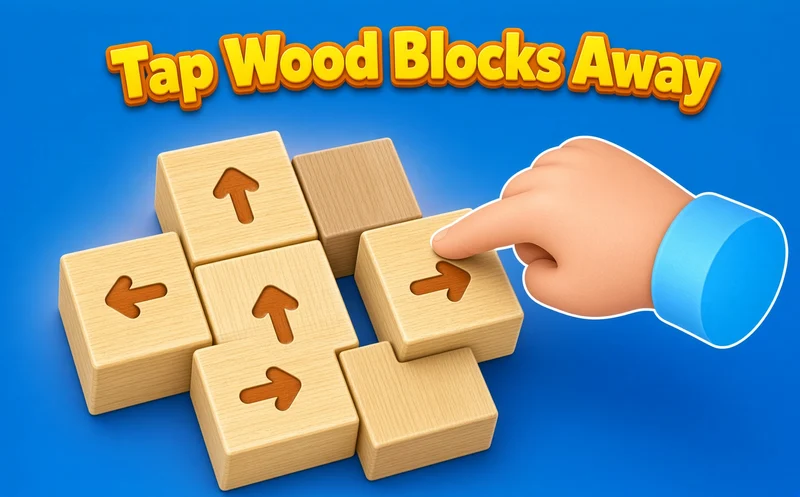
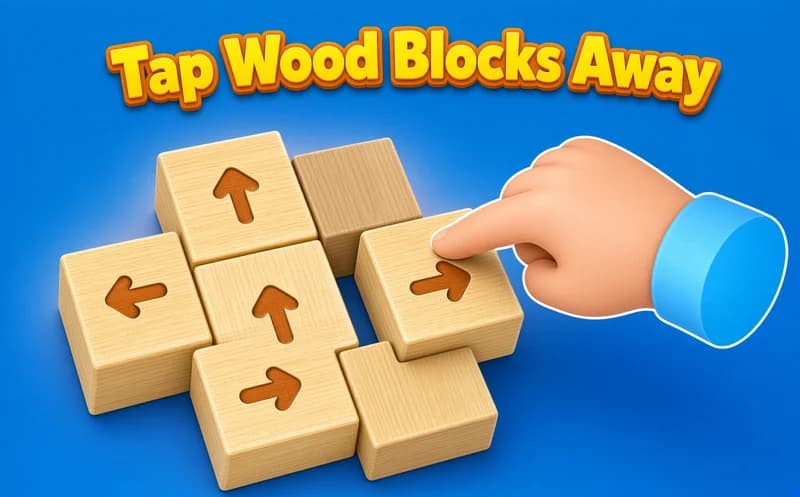
Tap Wood Blocks Away is a calm puzzle about taking a pile of small wooden blocks apart piece by piece. Every block has an arrow on top and only slides in that direction. It opens in your browser, no install needed.
About Tap Wood Blocks Away
When you tap a block, it moves the way its arrow points. If the path is clear it flies off the screen, and if another block is in the way it bumps and snaps back. The stack is 3D, so you can swipe to rotate it and spot the arrows hiding on the back side.
The real job is finding the right order. A block in the middle will not budge until the outer blocks holding it are gone. So you scan the outer shell first, pick the pieces with a free path, then work your way inward. Later stacks get bigger and the arrows lock each other in longer chains. With the coins you earn after each level you can decorate rooms.
Why do kids like this game?
Freeing one block often releases three or four more behind it, which makes a nice little chain reaction. There is no timer, so every kid can think at their own pace. The game also offers Turkish language support.
Is this game safe for kids?
Yes. The screen only shows wooden blocks, arrows and simple room decorations. A wrong tap just makes the block bump and return, nothing scary happens.
🎯 How to Play
- Look at the stack and check the arrows on the blocks.
- Swipe on the screen or drag the mouse to rotate the stack.
- Tap a block with a free path and it slides away along its arrow.
- If you tap a blocked block, it bumps and comes back.
- Clear the outer blocks to open the way for the ones inside.
- The level ends when every block has left the screen.
- Spend your coins on decorating rooms and move on to the next level.
⌨️ Controls
💻 PC
📱 Mobile
💡 Tips & Tricks
- Rotate first: do not make your first tap before you have seen every side, because the arrows on the back can change your plan.
- Follow the arrow line: if even one piece stands in the way, the block cannot pass, so trace that line with your eyes.
- Split facing arrows: two blocks pointing at each other lock one another, so send a neighbor off in another direction first.
- Start at the corners: corner blocks often have at least one open side.
- Test it in your head: there is no timer, and picturing a move first is faster than a wrong tap.
⚡ Features
- 3D stacks: turn the shape and inspect it from every side.
- Arrow system: each block moves in only one direction.
- Growing difficulty: bigger stacks mean longer lock chains.
- Room decorating: use level coins to decorate rooms.
- Calm pace: think as long as you like, no time limit.
- Any device: play by touch or mouse on phone, tablet or computer.